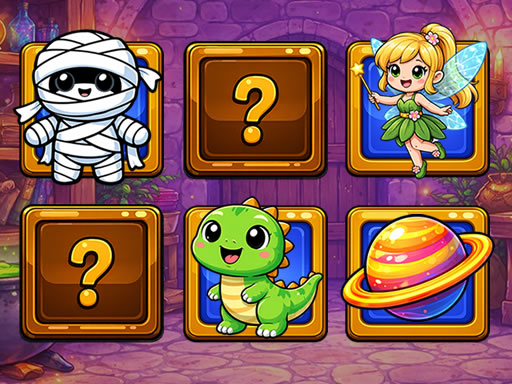
About The Best Memory
The game The Best Memory will quickly lift your mood and at the same time, improve your memory. In general, there are only advantages, so do not miss it, immerse yourself in the cheerful atmosphere. Your task is to open identical tiles and find pairs with funny pictures. Each found pair will be eliminated from the field and you will make sure that the space is empty. Time is not limited, but the better the time, the better the result.
The Best Memory belongs to the Puzzles category and is best for calm thinking and replayable sessions. GamPlayer keeps this page useful with a large play screen, quick facts, reporting and related games.
How to play The Best Memory
- Press Play now or scroll to the game screen.
- Wait for the embedded game to load from GameMonetize.
- Use mouse click or tap to play.
- Use fullscreen if the game needs extra space.
Tips for a better session
- Scan the whole board before making your first move.
- Slow decisions usually work better than rushed clicks.
- Share the page if you want an easy way back later.
 Puzzles
 Puzzles
 Puzzles
 Puzzles
 Puzzles
 Puzzles
 Puzzles
 Puzzles
 Puzzles
 Puzzles
 Puzzles
 Puzzles
 Puzzles
 Puzzles
 Puzzles
 Puzzles
 Puzzles
 Puzzles