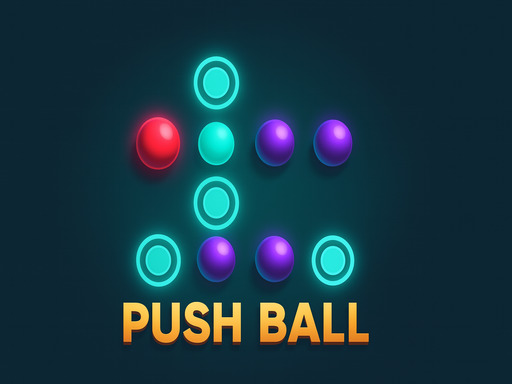
About PushBall
Push Ball is an intelligent puzzle game where you control a red ball to push purple balls according to the unique movement rules of each type. Your goal: to get all the balls to their designated positions on the map. Each level is designed like a complex problem—just pushing in the wrong direction can mess up the entire layout and force you to start over. Therefore, observe carefully, calculate each step, and find the most reasonable way to complete the challenge.
PushBall belongs to the Puzzles category and is best for calm thinking and replayable sessions. GamPlayer keeps this page useful with a large play screen, quick facts, reporting and related games.
How to play PushBall
- Press Play now or scroll to the game screen.
- Wait for the embedded game to load from GameMonetize.
- Use use mouse to play.
- Use fullscreen if the game needs extra space.
Tips for a better session
- Test acceleration and turning before chasing a perfect score.
- Fullscreen helps you see corners and obstacles earlier.
- Replay tracks to learn timing.
 Puzzles
 Puzzles
 Puzzles
 Puzzles
 Puzzles
 Puzzles
 Puzzles
 Puzzles
 Puzzles
 Puzzles
 Puzzles
 Puzzles
 Puzzles
 Puzzles
 Puzzles
 Puzzles
 Puzzles
 Puzzles