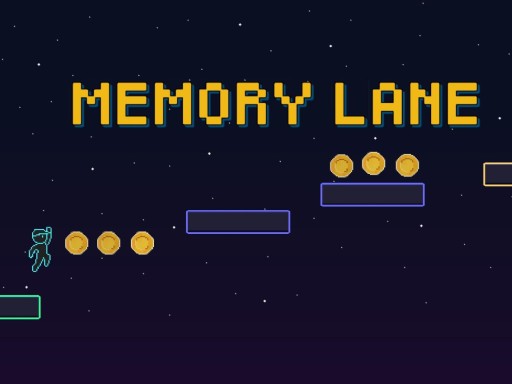
About Memory Lane
Your goal in each level is to reach the Goal Platform without falling or touching enemies. Levels are played in two phases. A. Reveal Phase: Duration: Short preview at the start of each level • All platforms become visible. • You cannot move. • Study the layout, paths, traps, and pickups. Your task: Remember what you see. ________________________________________ B. Action Phase: • All memory phase platforms become invisible unless they are marked to stay visible. • Touching platforms reveals them permanently. Your task: Reach the goal using your memory and reflexes.
Memory Lane belongs to the Puzzles category and is best for calm thinking and replayable sessions. GamPlayer keeps this page useful with a large play screen, quick facts, reporting and related games.
How to play Memory Lane
- Press Play now or scroll to the game screen.
- Wait for the embedded game to load from GameMonetize.
- Use movement bull left right a d or left right arrow keys bull jump tap space once to jump bull hold space for a higher jump arc bull double jump available only when powered up mobile controls touch buttons appear automatically on mobile devices.
- Use fullscreen if the game needs extra space.
Tips for a better session
- Scan the whole board before making your first move.
- Slow decisions usually work better than rushed clicks.
- Share the page if you want an easy way back later.
 Puzzles
 Puzzles
 Puzzles
 Puzzles
 Puzzles
 Puzzles
 Puzzles
 Puzzles
 Puzzles
 Puzzles
 Puzzles
 Puzzles
 Puzzles
 Puzzles
 Puzzles
 Puzzles
 Puzzles
 Puzzles