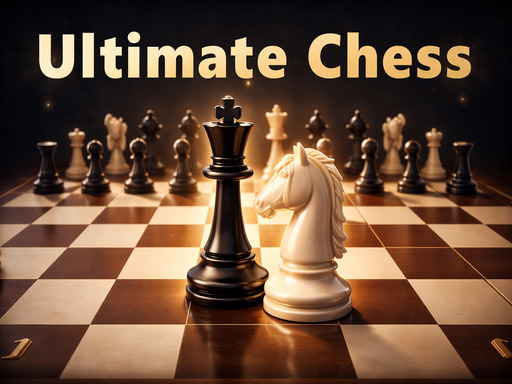
About ULTIMATE CHESS
Ultimate Chess is a classic chess game to play in the browser. Choose Player vs Player to play with a friend on the same device, or Player vs AI and choose the difficulty: Easy, Medium, or Hard. It is played with the mouse: click on a piece and then on a green square to move or on a red one to capture. Includes check and checkmate, castling, pawn promotion, move history, and sound effects. Clear interface with turn indicator and Restart and Back to Menu buttons.
ULTIMATE CHESS belongs to the Hypercasual category and is best for family-friendly casual play. GamPlayer keeps this page useful with a large play screen, quick facts, reporting and related games.
How to play ULTIMATE CHESS
- Press Play now or scroll to the game screen.
- Wait for the embedded game to load from GameMonetize.
- Use mouse click on a piece to select it green squares move red squares capture click on a highlighted square to make the move restart start a new game same mode and difficulty back to menu.
- Use fullscreen if the game needs extra space.
Tips for a better session
- Read the first in-game screen for controls.
- Try fullscreen if the game feels cramped.
- Use related games if this one is close but not perfect.
 Hypercasual
 Hypercasual
 Hypercasual
 Hypercasual
 Hypercasual
 Hypercasual
 Hypercasual
 Hypercasual
 Hypercasual
 Hypercasual
 Hypercasual
 Hypercasual
 Hypercasual
 Hypercasual
 Hypercasual
 Hypercasual
 Hypercasual
 Hypercasual