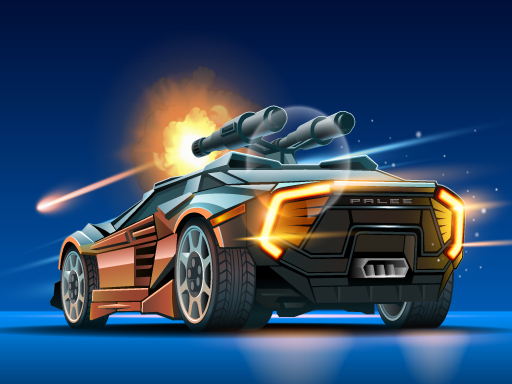
About Road Madness
If you like race cars and guns, you will love this game! You can upgrade and unlock more destructive cars, the further you get. Enjoy epic effects and power ups while hunting the new bosses and get achievements for it!
Road Madness belongs to the Hypercasual category and is best for speed, driving and reaction practice. GamPlayer keeps this page useful with a large play screen, quick facts, reporting and related games.
How to play Road Madness
- Press Play now or scroll to the game screen.
- Wait for the embedded game to load from GameMonetize.
- Use shoot enemy cars and upgrade your gear to survive in higher levels avoid obstacles and gather power ups from destroyed special enemies defeat bosses at the end of levels to progress further.
- Use fullscreen if the game needs extra space.
Tips for a better session
- Test acceleration and turning before chasing a perfect score.
- Fullscreen helps you see corners and obstacles earlier.
- Replay tracks to learn timing.
 Hypercasual
 Hypercasual
 Hypercasual
 Hypercasual
 Hypercasual
 Hypercasual
 Hypercasual
 Hypercasual
 Hypercasual
 Hypercasual
 Hypercasual
 Hypercasual
 Hypercasual
 Hypercasual
 Hypercasual
 Hypercasual
 Hypercasual
 Hypercasual