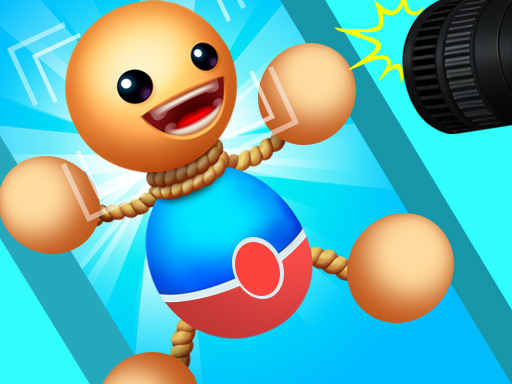
About Perfect Snapshot
Perfect Snapshot is a casual stress relief game. Buddy is a puppet whose limbs can be retracted at will. Your goal is to secure Buddys limbs so that he can successfully take the photo. When Buddys limbs are stretched too long, he will show an uncomfortable expression, but when taking pictures, he will turn into a smiling face!
Perfect Snapshot belongs to the Hypercasual category and is best for quick browser entertainment. GamPlayer keeps this page useful with a large play screen, quick facts, reporting and related games.
How to play Perfect Snapshot
- Press Play now or scroll to the game screen.
- Wait for the embedded game to load from GameMonetize.
- Use slide the screen to move the buddy.
- Use fullscreen if the game needs extra space.
Tips for a better session
- Read the first in-game screen for controls.
- Try fullscreen if the game feels cramped.
- Use related games if this one is close but not perfect.
 Hypercasual
 Hypercasual
 Hypercasual
 Hypercasual
 Hypercasual
 Hypercasual
 Hypercasual
 Hypercasual
 Hypercasual
 Hypercasual
 Hypercasual
 Hypercasual
 Hypercasual
 Hypercasual
 Hypercasual
 Hypercasual
 Hypercasual
 Hypercasual