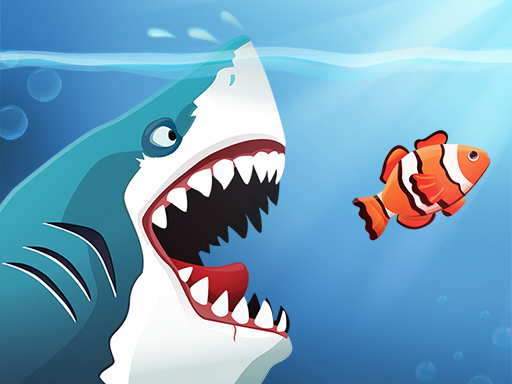
About Angry Sharks
The shark has been exposed to radiation and is now mutated. He floats in the sea and eats fishes. The more he eats, the more he grows. People are afraid of him and they are trying to destroy him. Try to survive their attacks.
Angry Sharks belongs to the Hypercasual category and is best for quick browser entertainment. GamPlayer keeps this page useful with a large play screen, quick facts, reporting and related games.
How to play Angry Sharks
- Press Play now or scroll to the game screen.
- Wait for the embedded game to load from GameMonetize.
- Use control the shark with the mouse cursor or by moving your finger on the screen fishes swim against you eat them to grow avoid bigger fishes and spiky fishes watch out for dangerous barrels mines spears and other obstacles you will pass the level if.
- Use fullscreen if the game needs extra space.
Tips for a better session
- Read the first in-game screen for controls.
- Try fullscreen if the game feels cramped.
- Use related games if this one is close but not perfect.
 Hypercasual
 Hypercasual
 Hypercasual
 Hypercasual
 Hypercasual
 Hypercasual
 Hypercasual
 Hypercasual
 Hypercasual
 Hypercasual
 Hypercasual
 Hypercasual
 Hypercasual
 Hypercasual
 Hypercasual
 Hypercasual
 Hypercasual
 Hypercasual