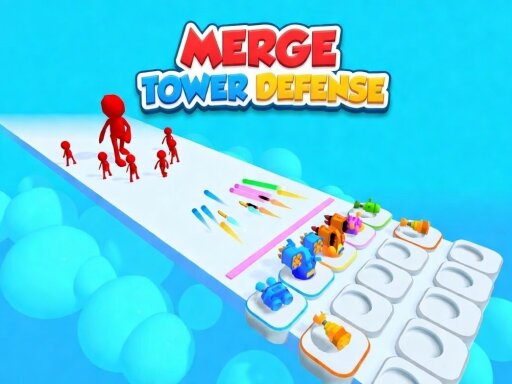
About Merge Tower Defense
Defend the path in this fast-paced hyper-casual tower defense! Build and merge towers to make them stronger and stop enemy waves. Complete levels to unlock new challenges. Use powerful skills like flamethrowers, flying saws, acid pools, mines, spikes, and airstrikes. Upgrade your towers, increase damage and attack speed, and defeat every wave!
Merge Tower Defense belongs to the Hypercasual category and is best for speed, driving and reaction practice. GamPlayer keeps this page useful with a large play screen, quick facts, reporting and related games.
How to play Merge Tower Defense
- Press Play now or scroll to the game screen.
- Wait for the embedded game to load from GameMonetize.
- Use bull pc double right-click a tower to merge it automatically or hold the right mouse button and drag it onto an identical tower bull mobile double tap a tower to merge it automatically or hold and drag it with your finger onto an identical tower.
- Use fullscreen if the game needs extra space.
Tips for a better session
- Read the first in-game screen for controls.
- Try fullscreen if the game feels cramped.
- Use related games if this one is close but not perfect.
 Hypercasual
 Hypercasual
 Hypercasual
 Hypercasual
 Hypercasual
 Hypercasual
 Hypercasual
 Hypercasual
 Hypercasual
 Hypercasual
 Hypercasual
 Hypercasual
 Hypercasual
 Hypercasual
 Hypercasual
 Hypercasual
 Hypercasual
 Hypercasual