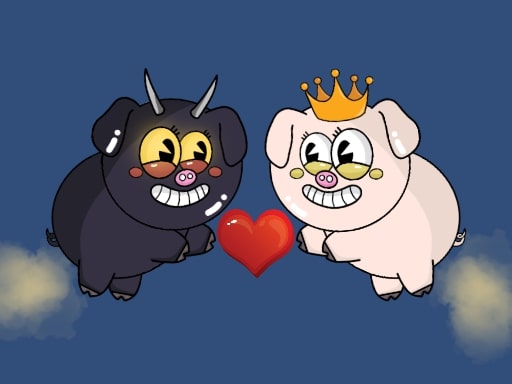
About Meme Piggy: Adventure
Meme Pig rushing to the aid of Princess Pig! Overcome all difficulties and save your princess. The game is an adventure where we play as a pig. This is a fun platformer that will make you laugh with its meme-like animations and sounds. Overcome obstacles, collect stars, and you will become a top player!
Meme Piggy: Adventure belongs to the Hypercasual category and is best for quick browser entertainment. GamPlayer keeps this page useful with a large play screen, quick facts, reporting and related games.
How to play Meme Piggy: Adventure
- Press Play now or scroll to the game screen.
- Wait for the embedded game to load from GameMonetize.
- Use personal computer movement - wasd jump - space double jump - space x2 pause - esc phone tablet use interface buttons.
- Use fullscreen if the game needs extra space.
Tips for a better session
- Read the first in-game screen for controls.
- Try fullscreen if the game feels cramped.
- Use related games if this one is close but not perfect.
 Hypercasual
 Hypercasual
 Hypercasual
 Hypercasual
 Hypercasual
 Hypercasual
 Hypercasual
 Hypercasual
 Hypercasual
 Hypercasual
 Hypercasual
 Hypercasual
 Hypercasual
 Hypercasual
 Hypercasual
 Hypercasual
 Hypercasual
 Hypercasual