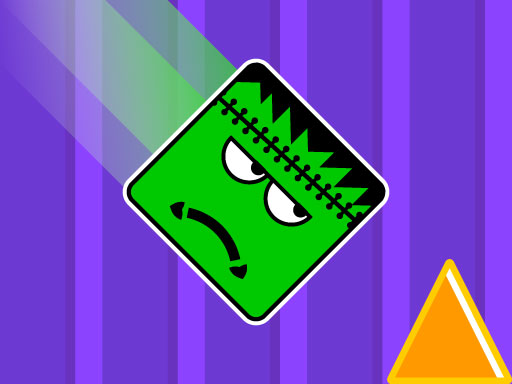
About Frank In Geometry Maps
Frank in Geometry Maps is a fast-paced platformer where you control a cube through six intricate mazes. The game throws obstacles like spikes and moving platforms at you while your character speeds along, testing your reflexes. Time your jumps carefully—use the yellow boosters to reach higher ground and avoid instant-death traps.
Frank In Geometry Maps belongs to the Hypercasual category and is best for family-friendly casual play. GamPlayer keeps this page useful with a large play screen, quick facts, reporting and related games.
How to play Frank In Geometry Maps
- Press Play now or scroll to the game screen.
- Wait for the embedded game to load from GameMonetize.
- Use touch for jump mouse cllick fo jump.
- Use fullscreen if the game needs extra space.
Tips for a better session
- Test acceleration and turning before chasing a perfect score.
- Fullscreen helps you see corners and obstacles earlier.
- Replay tracks to learn timing.
 Hypercasual
 Hypercasual
 Hypercasual
 Hypercasual
 Hypercasual
 Hypercasual
 Hypercasual
 Hypercasual
 Hypercasual
 Hypercasual
 Hypercasual
 Hypercasual
 Hypercasual
 Hypercasual
 Hypercasual
 Hypercasual
 Hypercasual
 Hypercasual