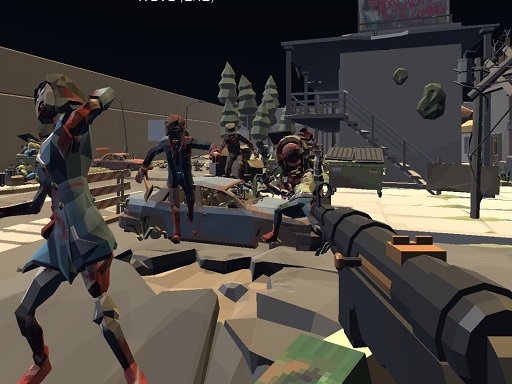
About Zombie Virus FPS
Survival Zombie virus shooting is here with a great jungle map and awesome mission in offline, each campaign have own difficulty with different number of enemy to destroy also much game mode waiting you to try with guns around the world . Have fun here.
Zombie Virus FPS belongs to the Shooting category and is best for quick reactions and arcade breaks. GamPlayer keeps this page useful with a large play screen, quick facts, reporting and related games.
How to play Zombie Virus FPS
- Press Play now or scroll to the game screen.
- Wait for the embedded game to load from GameMonetize.
- Use wasd - move mouse - shooting aim look around change gun space - jump tab - menu shift - run.
- Use fullscreen if the game needs extra space.
Tips for a better session
- Read the first in-game screen for controls.
- Try fullscreen if the game feels cramped.
- Use related games if this one is close but not perfect.
 Shooting
 Shooting
 Shooting
 Shooting
 Shooting
 Shooting
 Shooting
 Shooting
 Shooting
 Shooting
 Shooting
 Shooting
 Shooting
 Shooting
 Shooting
 Shooting
 Shooting
 Shooting