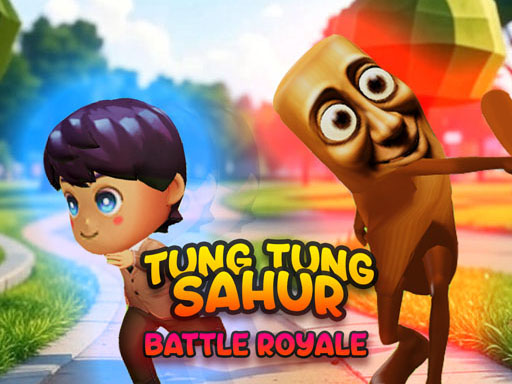
About Tung Sahur IO
Join up to 100 players in this hilarious viral meme-inspired multiplayer mayhem! Start as an innocent school kid, but watch out, the legendary Tung Sahur infection is spreading fast! Experience tiktoks most beloved bombardino crocodilo and tung tung tung sahur memes come to life in an epic infection game that will have you laughing and screaming at the same time along with your friends. Play as a school kid trying to survive the chaos, or get infected and join the Tung Sahur army to hunt down your former classmates.
Tung Sahur IO belongs to the Multiplayer category and is best for quick browser entertainment. GamPlayer keeps this page useful with a large play screen, quick facts, reporting and related games.
How to play Tung Sahur IO
- Press Play now or scroll to the game screen.
- Wait for the embedded game to load from GameMonetize.
- Use wasd arrow keys move your character left mouse action jump as a kid or attack as a tung sahur mouse move camera mobile drag with your left finger to move around drag with your right finger to look around tap the green button to action jum.
- Use fullscreen if the game needs extra space.
Tips for a better session
- Read the first in-game screen for controls.
- Try fullscreen if the game feels cramped.
- Use related games if this one is close but not perfect.
 Multiplayer
 Multiplayer
 Multiplayer
 Multiplayer
 Multiplayer
 Multiplayer
 Multiplayer
 Multiplayer
 Multiplayer
 Multiplayer
 Multiplayer
 Multiplayer
 Multiplayer
 Multiplayer
 Multiplayer
 Multiplayer
 Multiplayer
 Multiplayer