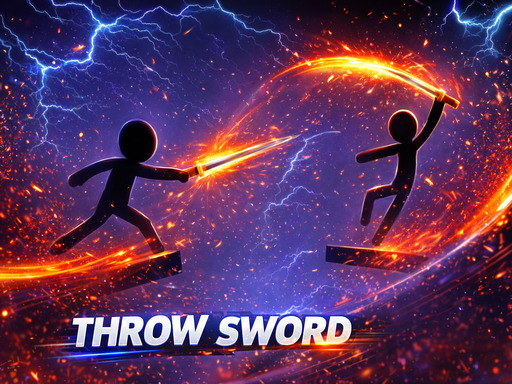
About Throw Sword
Throw Sword is an engaging stickman action game where you control a stickman throwing swords to defeat opponents. Aim carefully, throw with precise force, and strike at the right moment to eliminate enemies before being defeated. With simple gameplay, fast-paced action, and eye-catching combat effects, Throw Sword offers an exciting entertainment experience. Test your reflexes, conquer high scores, and become a sword-throwing master!
Throw Sword belongs to the Hypercasual category and is best for family-friendly casual play. GamPlayer keeps this page useful with a large play screen, quick facts, reporting and related games.
How to play Throw Sword
- Press Play now or scroll to the game screen.
- Wait for the embedded game to load from GameMonetize.
- Use a d or left right arrow to rotate z collect throw the sword.
- Use fullscreen if the game needs extra space.
Tips for a better session
- Test acceleration and turning before chasing a perfect score.
- Fullscreen helps you see corners and obstacles earlier.
- Replay tracks to learn timing.
 Hypercasual
 Hypercasual
 Hypercasual
 Hypercasual
 Hypercasual
 Hypercasual
 Hypercasual
 Hypercasual
 Hypercasual
 Hypercasual
 Hypercasual
 Hypercasual
 Hypercasual
 Hypercasual
 Hypercasual
 Hypercasual
 Hypercasual
 Hypercasual