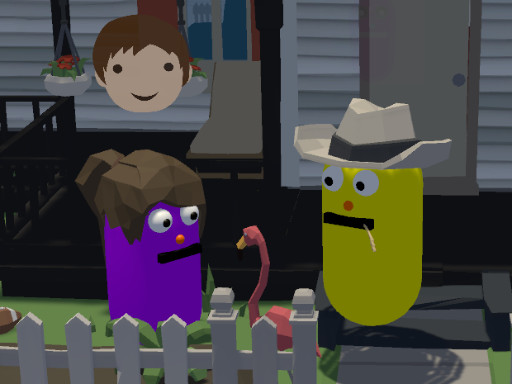
About The Untitled Happiness Project
As a worker for the Happiness corporation you are sent to the Phaseolus town to make two of its inhabitants - Jonathan Perry and Rachel Portland - happy again. Follow them during their day routine, explore the town and talk with residents to gain information which will help you solve their case and make them happy again.
The Untitled Happiness Project belongs to the Adventure category and is best for quick browser entertainment. GamPlayer keeps this page useful with a large play screen, quick facts, reporting and related games.
How to play The Untitled Happiness Project
- Press Play now or scroll to the game screen.
- Wait for the embedded game to load from GameMonetize.
- Use wasd - movement f - interaction tab - show mindmap p - reset game esc - menu.
- Use fullscreen if the game needs extra space.
Tips for a better session
- Read the first in-game screen for controls.
- Try fullscreen if the game feels cramped.
- Use related games if this one is close but not perfect.
 Adventure
 Adventure
 Adventure
 Adventure
 Adventure
 Adventure
 Adventure
 Adventure
 Adventure
 Adventure
 Adventure
 Adventure
 Adventure
 Adventure
 Adventure
 Adventure
 Adventure
 Adventure