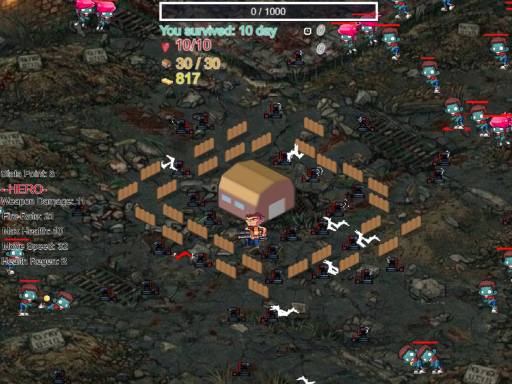
About Terrifying Zombies: Tower Defense 1 Game
Survive the horde in Terrifying Zombies! Build strategic towers, upgrade defenses, and stop the undead. NEW: Level Up system! Gain XP to unlock powerful commander upgrades and dominate the battlefield. Features: Intense TD action Multiple zombie types Browser-play (No download) Im constantly adding levels to this early access version. Hit Like and leave your suggestions!
Terrifying Zombies: Tower Defense 1 Game belongs to the Shooting category and is best for quick reactions and arcade breaks. GamPlayer keeps this page useful with a large play screen, quick facts, reporting and related games.
How to play Terrifying Zombies: Tower Defense 1 Game
- Press Play now or scroll to the game screen.
- Wait for the embedded game to load from GameMonetize.
- Use wasd or arrow keys move left click shoot select and place towers p pause game amp save menu.
- Use fullscreen if the game needs extra space.
Tips for a better session
- Read the first in-game screen for controls.
- Try fullscreen if the game feels cramped.
- Use related games if this one is close but not perfect.
 Shooting
 Shooting
 Shooting
 Shooting
 Shooting
 Shooting
 Shooting
 Shooting
 Shooting
 Shooting
 Shooting
 Shooting
 Shooting
 Shooting
 Shooting
 Shooting
 Shooting
 Shooting