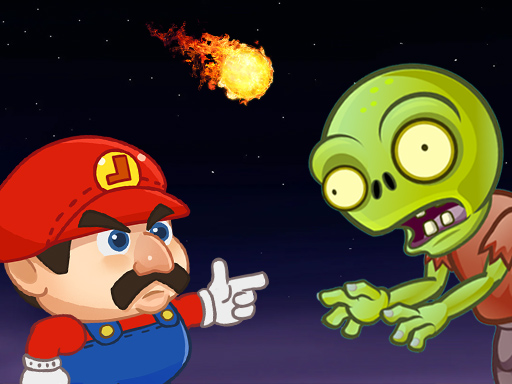
About Super Lule vs Zombies
Super Lule vs Zombies is a fun aim and shoot game featuring our beloved hero Lule. This time the brave ex military guy has to defeat an entire army of zombies that took over the beautiful land where Princess Lili lives. Keep in mind that you have a limited amount of only 7 bullets that you can use inside each of the 18 levels so use your ammo wisely and try to kill more than one zombie by using the same bullet.
Super Lule vs Zombies belongs to the Shooting category and is best for quick reactions and arcade breaks. GamPlayer keeps this page useful with a large play screen, quick facts, reporting and related games.
How to play Super Lule vs Zombies
- Press Play now or scroll to the game screen.
- Wait for the embedded game to load from GameMonetize.
- Use use the mouse to play.
- Use fullscreen if the game needs extra space.
Tips for a better session
- Read the first in-game screen for controls.
- Try fullscreen if the game feels cramped.
- Use related games if this one is close but not perfect.
 Shooting
 Shooting
 Shooting
 Shooting
 Shooting
 Shooting
 Shooting
 Shooting
 Shooting
 Shooting
 Shooting
 Shooting
 Shooting
 Shooting
 Shooting
 Shooting
 Shooting
 Shooting