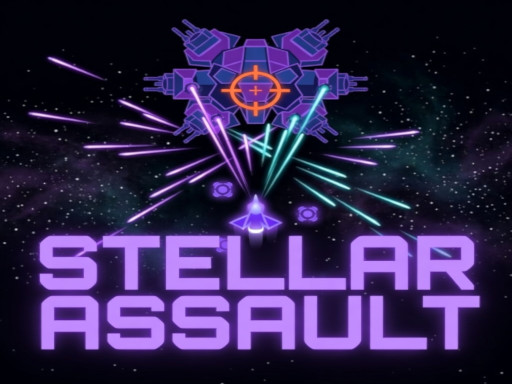
About Stellar Assault
Take control of a lone starfighter and survive 40 relentless waves of alien enemies hell-bent on your destruction. Choose from four unique vessels, the nimble Interceptor, the hard-hitting Destroyer, the evasive Phantom, or the heavily armored Dreadnought, each with its own stats and playstyle. Every wave you survive earns upgrade points. Repair your hull, boost your weapons, reinforce your shields, deploy combat drones, and push your ship to its limits. Face deadly mini-bosses every 5 waves and massive boss encounters every 10. How long can you hold the line?
Stellar Assault belongs to the Shooting category and is best for quick reactions and arcade breaks. GamPlayer keeps this page useful with a large play screen, quick facts, reporting and related games.
How to play Stellar Assault
- Press Play now or scroll to the game screen.
- Wait for the embedded game to load from GameMonetize.
- Use mouse or keyboard move wasd arrow keys space fire p pause resume m mute unmute.
- Use fullscreen if the game needs extra space.
Tips for a better session
- Read the first in-game screen for controls.
- Try fullscreen if the game feels cramped.
- Use related games if this one is close but not perfect.
 Shooting
 Shooting
 Shooting
 Shooting
 Shooting
 Shooting
 Shooting
 Shooting
 Shooting
 Shooting
 Shooting
 Shooting
 Shooting
 Shooting
 Shooting
 Shooting
 Shooting
 Shooting