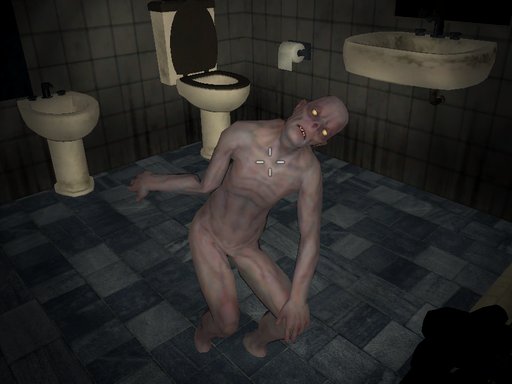
About Shoot Your Nightmare: Wake Up
You have agreed to participate in a dream control experiment. Your dreams are nightmares, every night. The only way to stop your nightmares is to confront them. Search for clues, fight enemies, and put an end to the experiment...
Shoot Your Nightmare: Wake Up belongs to the Adventure category and is best for quick reactions and arcade breaks. GamPlayer keeps this page useful with a large play screen, quick facts, reporting and related games.
How to play Shoot Your Nightmare: Wake Up
- Press Play now or scroll to the game screen.
- Wait for the embedded game to load from GameMonetize.
- Use mouse 1 fire mouse 2 aim block w-s-a-d walk left shift sprint left ctrl crouch x prone space jump f use item r reload h holster weapon g grenade v melee attack esc or tab pause.
- Use fullscreen if the game needs extra space.
Tips for a better session
- Read the first in-game screen for controls.
- Try fullscreen if the game feels cramped.
- Use related games if this one is close but not perfect.
 Adventure
 Adventure
 Adventure
 Adventure
 Adventure
 Adventure
 Adventure
 Adventure
 Adventure
 Adventure
 Adventure
 Adventure
 Adventure
 Adventure
 Adventure
 Adventure
 Adventure
 Adventure