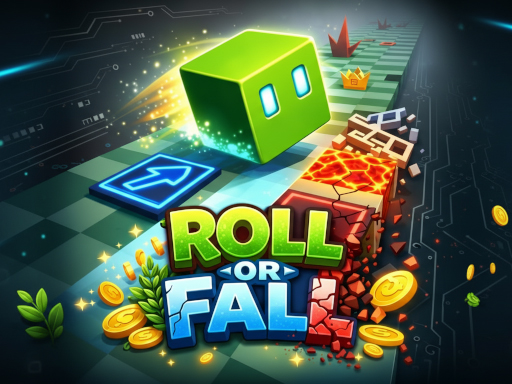
About Roll or Fall
Roll diagonally and test your timing in Roll or Fall! Control your dice as it moves across tricky platforms filled with dangerous obstacles like lava, freezing blocks, and hollow tiles that can send you falling. Tap at the right moment to change direction, stay on track, and keep moving forward. Collect coins along the way to unlock new dice characters, each adding a fresh look to your run. With fast-paced gameplay, simple controls, and challenging hazards, every move counts. One mistake and it’s over how far can you roll before you fall?
Roll or Fall belongs to the Hypercasual category and is best for quick browser entertainment. GamPlayer keeps this page useful with a large play screen, quick facts, reporting and related games.
How to play Roll or Fall
- Press Play now or scroll to the game screen.
- Wait for the embedded game to load from GameMonetize.
- Use how to play tap to move right tap again to switch direction left right stay on the platform avoid traps and gaps collect coins to unlock new dice.
- Use fullscreen if the game needs extra space.
Tips for a better session
- Read the first in-game screen for controls.
- Try fullscreen if the game feels cramped.
- Use related games if this one is close but not perfect.
 Hypercasual
 Hypercasual
 Hypercasual
 Hypercasual
 Hypercasual
 Hypercasual
 Hypercasual
 Hypercasual
 Hypercasual
 Hypercasual
 Hypercasual
 Hypercasual
 Hypercasual
 Hypercasual
 Hypercasual
 Hypercasual
 Hypercasual
 Hypercasual