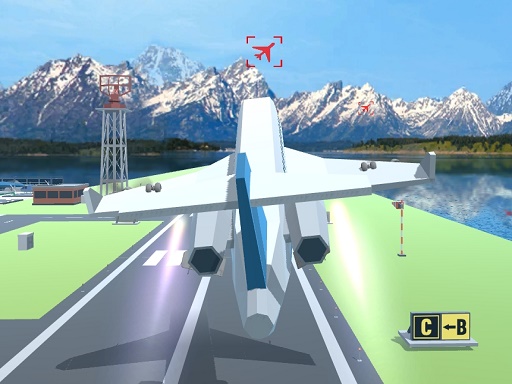
About Polygon Flight Simulator
Fly like a pro in this airplane simulator; you can smoothly navigate from one airport to another. Its straightforward—press the W button, drag the mouse, and watch your plane ascend. Skillfully enter airborne checkpoints en route to your next destination airport. With intuitive controls, this simulator provides an immersive flying experience. Whether youre a novice or an expert, the seamless interface ensures an enjoyable journey through virtual skies. Master the art of aviation with this user-friendly simulator. Website Developer <a href='https://www.crazygamesonline.com'>https://www.crazygamesonline.com</a>
Polygon Flight Simulator belongs to the Action category and is best for quick reactions and arcade breaks. GamPlayer keeps this page useful with a large play screen, quick facts, reporting and related games.
How to play Polygon Flight Simulator
- Press Play now or scroll to the game screen.
- Wait for the embedded game to load from GameMonetize.
- Use wasd move plane mouse drag go up mouse forwad go down mouse left or right move plane tab menu.
- Use fullscreen if the game needs extra space.
Tips for a better session
- Read the first in-game screen for controls.
- Try fullscreen if the game feels cramped.
- Use related games if this one is close but not perfect.
 Action
 Action
 Action
 Action
 Action
 Action
 Action
 Action
 Action
 Action
 Action
 Action
 Action
 Action
 Action
 Action
 Action
 Action