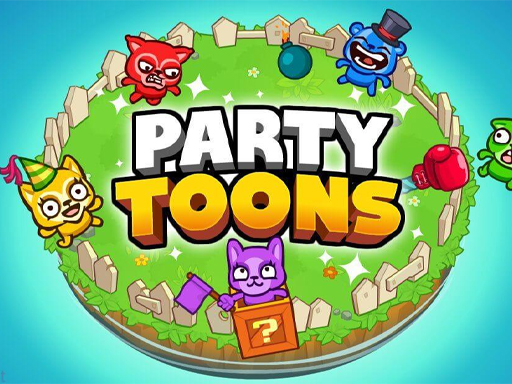
About PartyToons
PartyToons is a party game created by TinyDobbins. Jump in a mini-game party with friends or strangers in four-player matches! Each mini-game has a unique set of rules and styles to play. Catch strawberries among falling rocks, jump on obstacle-filled conveyor belts, pop risky balloons, open mysterious boxes, and much more! Always try to act quicker or wiser than your opponents to secure the most points. Use these points and trophies to upgrade and unlock new playable characters. If you're looking to spice up your afternoons, look no further than PartyToons! Don't forget to share PartyToons on Poki with your friends to maximize the fun!
PartyToons belongs to the Multiplayer category and is best for family-friendly casual play. GamPlayer keeps this page useful with a large play screen, quick facts, reporting and related games.
How to play PartyToons
- Press Play now or scroll to the game screen.
- Wait for the embedded game to load from GameMonetize.
- Use player 1 action keys - arrow keys player 2 action keys - wasd player 3 action keys - 8456 player 4 action keys - uhjk.
- Use fullscreen if the game needs extra space.
Tips for a better session
- Read the first in-game screen for controls.
- Try fullscreen if the game feels cramped.
- Use related games if this one is close but not perfect.
 Multiplayer
 Multiplayer
 Multiplayer
 Multiplayer
 Multiplayer
 Multiplayer
 Multiplayer
 Multiplayer
 Multiplayer
 Multiplayer
 Multiplayer
 Multiplayer
 Multiplayer
 Multiplayer
 Multiplayer
 Multiplayer
 Multiplayer
 Multiplayer