About Nexusorbiter
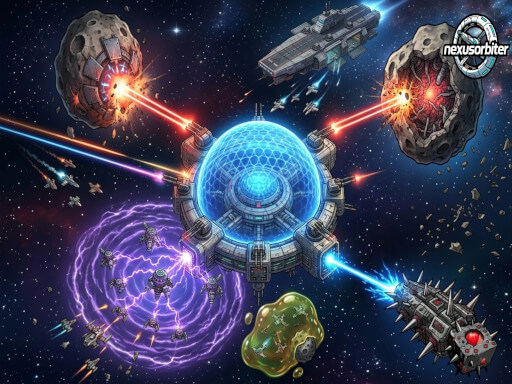
Single-finger orbital-defense arcade. Your drone orbits a fragile space station and auto-fires at incoming hazards — tap to flip the orbit direction, thats your only control. Each stage layers in new threats: glue bombs you must shoot at range, homing suicide drones you cant miss, EMP drones that silence your auto-fire on contact, healing orbiters that protect bosses. Six upgrade tracks shape your build. 30+ stages, multi-boss waves, plus a fresh daily challenge for bonus scrap every day. The game features infinite stages and dailyChallenges. The upgrade system is locked to some max level upgrades, but that only to prevent abuse of mechanics.
Nexusorbiter belongs to the Arcade category and is best for quick reactions and arcade breaks. GamPlayer keeps this page useful with a large play screen, quick facts, reporting and related games.
How to play Nexusorbiter
- Press Play now or scroll to the game screen.
- Wait for the embedded game to load from GameMonetize.
- Use the drone has exactly one player input flip the orbit direction by clicking or taping the screen.
- Use fullscreen if the game needs extra space.
Tips for a better session
- Read the first in-game screen for controls.
- Try fullscreen if the game feels cramped.
- Use related games if this one is close but not perfect.
 Arcade
 Arcade
 Arcade
 Arcade
 Arcade
 Arcade
 Arcade
 Arcade
 Arcade
 Arcade
 Arcade
 Arcade
 Arcade
 Arcade
 Arcade
 Arcade
 Arcade
 Arcade