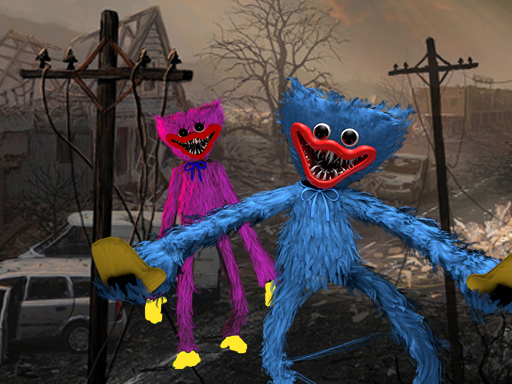
About My Huggy Wuggy Nightmare
We moved in a new neighbourhood just few days ago. It's a peaceful and neighbours are nice. But there is a story about this man monster Huggy Wuggy. It's a disturbing story... After weeks of unexplained murders, the ominous unknown killer is still on the rise. After little evidence has been found, a young boy states that he survived one of the killers attacks and bravely tells his story.
My Huggy Wuggy Nightmare belongs to the Shooting category and is best for quick reactions and arcade breaks. GamPlayer keeps this page useful with a large play screen, quick facts, reporting and related games.
How to play My Huggy Wuggy Nightmare
- Press Play now or scroll to the game screen.
- Wait for the embedded game to load from GameMonetize.
- Use w a s d to walk around mouse to look around left mouse button to fire right mouse button to aim mouse wheel to change weapons g for grenades r to reload f to pickup items left shift to run left ctrl to crouch x to prone v.
- Use fullscreen if the game needs extra space.
Tips for a better session
- Read the first in-game screen for controls.
- Try fullscreen if the game feels cramped.
- Use related games if this one is close but not perfect.
 Shooting
 Shooting
 Shooting
 Shooting
 Shooting
 Shooting
 Shooting
 Shooting
 Shooting
 Shooting
 Shooting
 Shooting
 Shooting
 Shooting
 Shooting
 Shooting
 Shooting
 Shooting