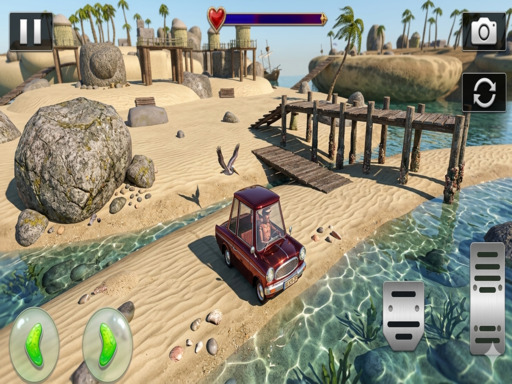
About Mini Car Simulator
Experience the thrill of driving in Mini Car Simulator! Enjoy 40 exciting levels filled with fun challenges and obstacles. Explore three beautiful environments—busy city streets, peaceful forests, and sunny beach roads. Each level tests your driving skills as you navigate tight turns and tricky paths. With smooth controls and immersive gameplay, this game offers endless fun for players who love car simulation and adventure. Get ready to drive, explore, and master every level!
Mini Car Simulator belongs to the Arcade category and is best for speed, driving and reaction practice. GamPlayer keeps this page useful with a large play screen, quick facts, reporting and related games.
How to play Mini Car Simulator
- Press Play now or scroll to the game screen.
- Wait for the embedded game to load from GameMonetize.
- Use mobile controls use on-screen buttons to move your car forward backward left and right tap the booster button for extra speed use the camera button to change different viewing angles while driving if your car gets stuck or crashes press the reborn.
- Use fullscreen if the game needs extra space.
Tips for a better session
- Test acceleration and turning before chasing a perfect score.
- Fullscreen helps you see corners and obstacles earlier.
- Replay tracks to learn timing.
 Arcade
 Arcade
 Arcade
 Arcade
 Arcade
 Arcade
 Arcade
 Arcade
 Arcade
 Arcade
 Arcade
 Arcade
 Arcade
 Arcade
 Arcade
 Arcade
 Arcade
 Arcade