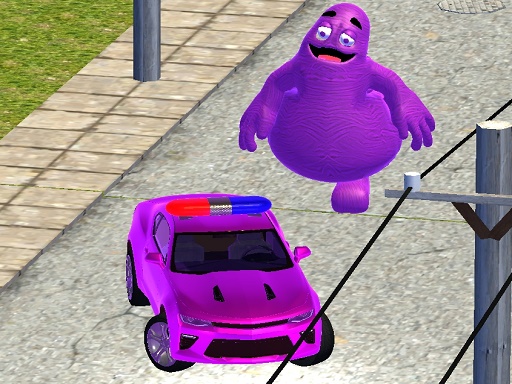
About Grimace vs Police SuperCar
Embark on an intense journey in Grimace vs Police SuperCar. As the player, youll command a formidable car, embarking on a map-based quest to eliminate the notorious Grimace. Your mission: track down Grimace, engage in thrilling pursuits, and ultimately ram into Grimace to clear each level. Unveil multiple stages including car parking challenges and coin collection, enhancing the excitement.
Grimace vs Police SuperCar belongs to the Racing category and is best for speed, driving and reaction practice. GamPlayer keeps this page useful with a large play screen, quick facts, reporting and related games.
How to play Grimace vs Police SuperCar
- Press Play now or scroll to the game screen.
- Wait for the embedded game to load from GameMonetize.
- Use wasd and arrow drive.
- Use fullscreen if the game needs extra space.
Tips for a better session
- Test acceleration and turning before chasing a perfect score.
- Fullscreen helps you see corners and obstacles earlier.
- Replay tracks to learn timing.
 Racing
 Racing
 Racing
 Racing
 Racing
 Racing
 Racing
 Racing
 Racing
 Racing
 Racing
 Racing
 Racing
 Racing
 Racing
 Racing
 Racing
 Racing