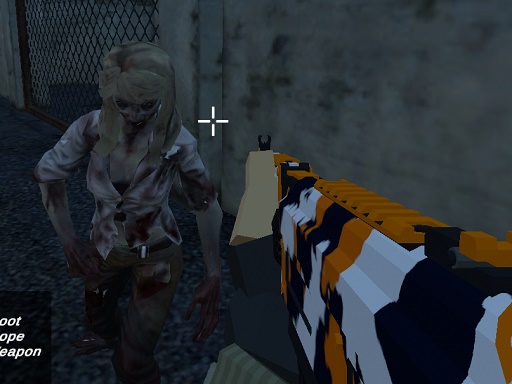
About Dead Survival: Zombie Shooter
Dive into Dead Survival: Zombie Shooter, the ultimate offline zombie shooting game designed for intense action and survival horror fans. Battle through a post-apocalyptic world overrun by the undead. With stunning graphics, powerful weapons, and smart zombie AI, every second is a fight for survival.
Dead Survival: Zombie Shooter belongs to the Action category and is best for quick reactions and arcade breaks. GamPlayer keeps this page useful with a large play screen, quick facts, reporting and related games.
How to play Dead Survival: Zombie Shooter
- Press Play now or scroll to the game screen.
- Wait for the embedded game to load from GameMonetize.
- Use wasd rarr move left mouse click rarr shoot right mouse click rarr scope middle mouse rarr switch weapon r rarr reload z rarr lock cursor esc rarr unlock cursor.
- Use fullscreen if the game needs extra space.
Tips for a better session
- Read the first in-game screen for controls.
- Try fullscreen if the game feels cramped.
- Use related games if this one is close but not perfect.
 Action
 Action
 Action
 Action
 Action
 Action
 Action
 Action
 Action
 Action
 Action
 Action
 Action
 Action
 Action
 Action
 Action
 Action