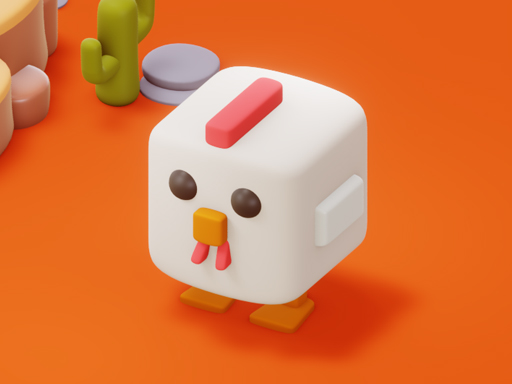
About Crossy Chicken
Chicken Cross is an arcade game created by SquareLemurs with the gameplay similar to the classic Frogger game. In Chicken Cross game you have to dodge traffic, hop across logs, evade trains and collect coins. Make sure you don’t stay still for too long or you’re toast! Don't forget to unlock exciting new characters with your hard earnt coins!
Crossy Chicken belongs to the Hypercasual category and is best for quick browser entertainment. GamPlayer keeps this page useful with a large play screen, quick facts, reporting and related games.
How to play Crossy Chicken
- Press Play now or scroll to the game screen.
- Wait for the embedded game to load from GameMonetize.
- Use use the arrow keys to move sideways or forward don t stand in the way of upcoming cars or other incoming objects you can also use gamepad.
- Use fullscreen if the game needs extra space.
Tips for a better session
- Read the first in-game screen for controls.
- Try fullscreen if the game feels cramped.
- Use related games if this one is close but not perfect.
 Hypercasual
 Hypercasual
 Hypercasual
 Hypercasual
 Hypercasual
 Hypercasual
 Hypercasual
 Hypercasual
 Hypercasual
 Hypercasual
 Hypercasual
 Hypercasual
 Hypercasual
 Hypercasual
 Hypercasual
 Hypercasual
 Hypercasual
 Hypercasual