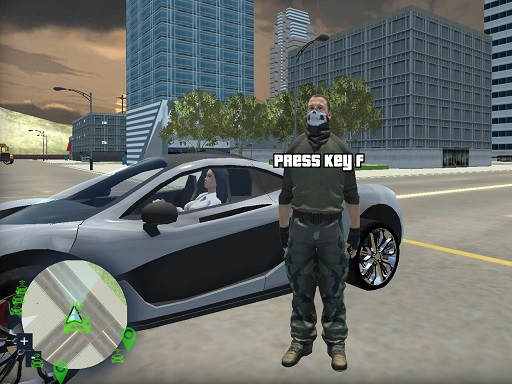
About Crazy GTA Mercenary Driver
GTA style game is here, driving cars, stealing cars, collect money, kill pedestrians is the best game mode for this awesome driving game RCK GTA Mercenary Driver, you have 100 unique levels to fun, steal and parking car, only hijack cars, kill a number of humans and collect coins with the extra speed will waiting for your players to the fun. This game has only one button more games on menu so you will not lose players, is safe to release on your awesome website gaming.
Crazy GTA Mercenary Driver belongs to the Racing category and is best for speed, driving and reaction practice. GamPlayer keeps this page useful with a large play screen, quick facts, reporting and related games.
How to play Crazy GTA Mercenary Driver
- Press Play now or scroll to the game screen.
- Wait for the embedded game to load from GameMonetize.
- Use e - enter exit from car tab - menu space - brake wasd - drive g - reset car.
- Use fullscreen if the game needs extra space.
Tips for a better session
- Test acceleration and turning before chasing a perfect score.
- Fullscreen helps you see corners and obstacles earlier.
- Replay tracks to learn timing.
 Racing
 Racing
 Racing
 Racing
 Racing
 Racing
 Racing
 Racing
 Racing
 Racing
 Racing
 Racing
 Racing
 Racing
 Racing
 Racing
 Racing
 Racing