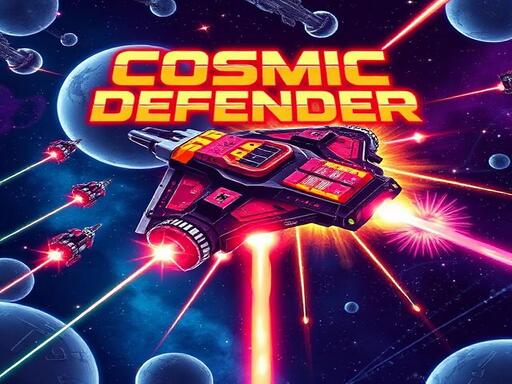
About Cosmic Defender
Cosmic Defender 2.1 is a fast-paced, retro-styled vertical arcade shooter (Shmup) set against a cyberpunk sci-fi backdrop. Pilot the powerful Cosmic Defender starship to fend off a galaxy-wide invasion. Battle through multiple levels, destroying formations of diverse enemy types - from Interceptors to Juggernauts - that descend upon you. Clear the enemy ranks to engage and defeat a unique, powerful Boss at the end of each protocol level. Survive all challenges to face the ultimate Final Boss encounter. Earn high scores and track your lifetime statistics as you defend the cosmos.
Cosmic Defender belongs to the Shooting category and is best for quick reactions and arcade breaks. GamPlayer keeps this page useful with a large play screen, quick facts, reporting and related games.
How to play Cosmic Defender
- Press Play now or scroll to the game screen.
- Wait for the embedded game to load from GameMonetize.
- Use move ship move mouse cursor touch drag on mobile or use keyboard keys a left arrow and d right arrow fire weapon hold mouse click hold touch or hold spacebar pause menu press escape or the p key.
- Use fullscreen if the game needs extra space.
Tips for a better session
- Read the first in-game screen for controls.
- Try fullscreen if the game feels cramped.
- Use related games if this one is close but not perfect.
 Shooting
 Shooting
 Shooting
 Shooting
 Shooting
 Shooting
 Shooting
 Shooting
 Shooting
 Shooting
 Shooting
 Shooting
 Shooting
 Shooting
 Shooting
 Shooting
 Shooting
 Shooting