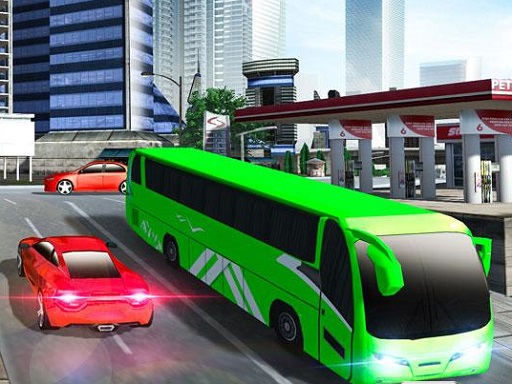
About Bus Simulator: City driving
Bus Simulator: City Driving is a realistic bus simulator game where you will drive a bus in a busy city following the traffic rules. Pick passengers from the specific bus stations and drop them at their destination with the amount of fuel given to you.
Bus Simulator: City driving belongs to the Racing category and is best for speed, driving and reaction practice. GamPlayer keeps this page useful with a large play screen, quick facts, reporting and related games.
How to play Bus Simulator: City driving
- Press Play now or scroll to the game screen.
- Wait for the embedded game to load from GameMonetize.
- Use arrow keys aswd to move the bus spacebar to brake.
- Use fullscreen if the game needs extra space.
Tips for a better session
- Test acceleration and turning before chasing a perfect score.
- Fullscreen helps you see corners and obstacles earlier.
- Replay tracks to learn timing.
 Racing
 Racing
 Racing
 Racing
 Racing
 Racing
 Racing
 Racing
 Racing
 Racing
 Racing
 Racing
 Racing
 Racing
 Racing
 Racing
 Racing
 Racing