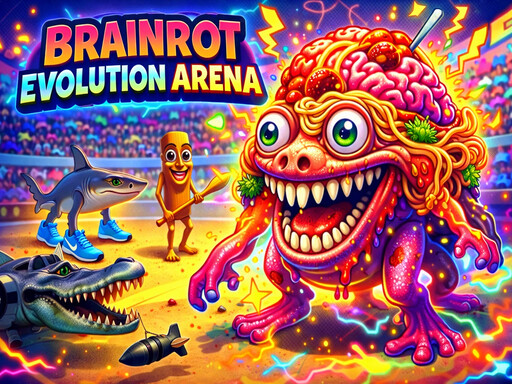
About Brainrot Evolution Arena
Play an addictive evolution game where you control an Italian Brainrot creature in a fast-paced arena. Walk around, eat food to gain experience, and grow bigger with every level. As you evolve, your creature becomes stronger, faster, and more chaotic. Eat weaker Brainrot creatures instantly, avoid stronger enemies, and survive as long as possible. There are no complex attacks — victory depends on movement, positioning, and level advantage. Short sessions, simple mechanics, and constant action make this eat-and-grow Brainrot game highly replayable and perfect for quick fun.
Brainrot Evolution Arena belongs to the 3d category and is best for quick reactions and arcade breaks. GamPlayer keeps this page useful with a large play screen, quick facts, reporting and related games.
How to play Brainrot Evolution Arena
- Press Play now or scroll to the game screen.
- Wait for the embedded game to load from GameMonetize.
- Use pc wsad move mobile joystick move.
- Use fullscreen if the game needs extra space.
Tips for a better session
- Read the first in-game screen for controls.
- Try fullscreen if the game feels cramped.
- Use related games if this one is close but not perfect.
 3d
3d 3d
3d 3d
3d 3d
3d 3d
3d 3d
3d 3d
3d 3d
3d 3d
3d 3d
3d 3d
3d 3d
3d 3d
3d 3d
3d 3d
3d 3d
3d 3d
3d 3d
3d