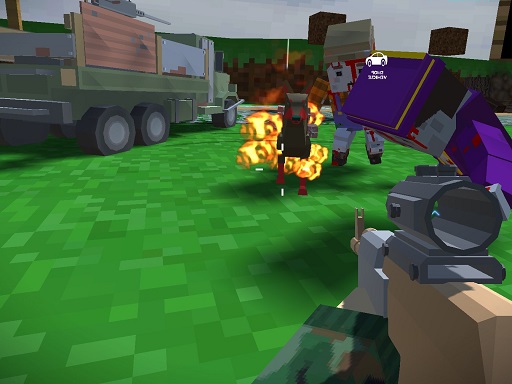
About Blocky Zombie And Vehicle Shooting
are you ready to hunt some zombie? are you ready to drive vehicle and destroy other vehicle and players around the world? then try Blocky Zombie And Vehicle Shooting and fun on multiplayer and single player campaign.
Blocky Zombie And Vehicle Shooting belongs to the Multiplayer category and is best for speed, driving and reaction practice. GamPlayer keeps this page useful with a large play screen, quick facts, reporting and related games.
How to play Blocky Zombie And Vehicle Shooting
- Press Play now or scroll to the game screen.
- Wait for the embedded game to load from GameMonetize.
- Use wasd- drive vehicle or walk use mouse to look around shoot or change gun e - enter in car and exit q - cahnge camo to gun t - change attachaments.
- Use fullscreen if the game needs extra space.
Tips for a better session
- Test acceleration and turning before chasing a perfect score.
- Fullscreen helps you see corners and obstacles earlier.
- Replay tracks to learn timing.
 Multiplayer
 Multiplayer
 Multiplayer
 Multiplayer
 Multiplayer
 Multiplayer
 Multiplayer
 Multiplayer
 Multiplayer
 Multiplayer
 Multiplayer
 Multiplayer
 Multiplayer
 Multiplayer
 Multiplayer
 Multiplayer
 Multiplayer
 Multiplayer