About ASTRO CHICKENS
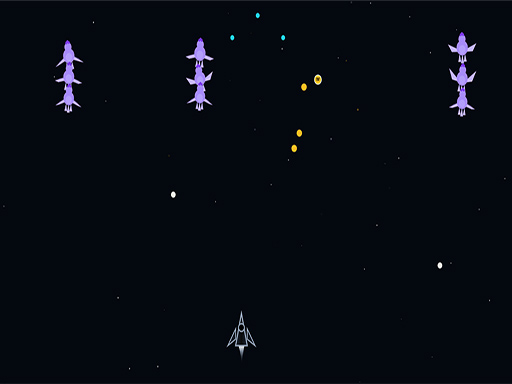
Pilot a spaceship across 10 unique environments and blast through endless waves of alien chickens before they reach you. Destroy enemies to earn coins, collect power-ups mid-wave, and unleash your ship’s special ability to survive. Every fifth wave brings a boss fight. There is no finish line — only a higher score. Ship Abilities Each ship is assigned a unique special ability, triggered by pressing Space (desktop) or the right-mouse button. Abilities are cooldown-based and recharge over time.
ASTRO CHICKENS belongs to the Action category and is best for quick reactions and arcade breaks. GamPlayer keeps this page useful with a large play screen, quick facts, reporting and related games.
How to play ASTRO CHICKENS
- Press Play now or scroll to the game screen.
- Wait for the embedded game to load from GameMonetize.
- Use how to play open the lobby select an environment and a ship from their respective grids choose a difficulty setting in settings normal hard or insane press launch mission on the get ready screen press space or tap the canvas to begin move the shi.
- Use fullscreen if the game needs extra space.
Tips for a better session
- Read the first in-game screen for controls.
- Try fullscreen if the game feels cramped.
- Use related games if this one is close but not perfect.
 Action
 Action
 Action
 Action
 Action
 Action
 Action
 Action
 Action
 Action
 Action
 Action
 Action
 Action
 Action
 Action
 Action
 Action